Check Off Club
30-Day Declutter Challenge — free printable PDF
Cleaning & Home

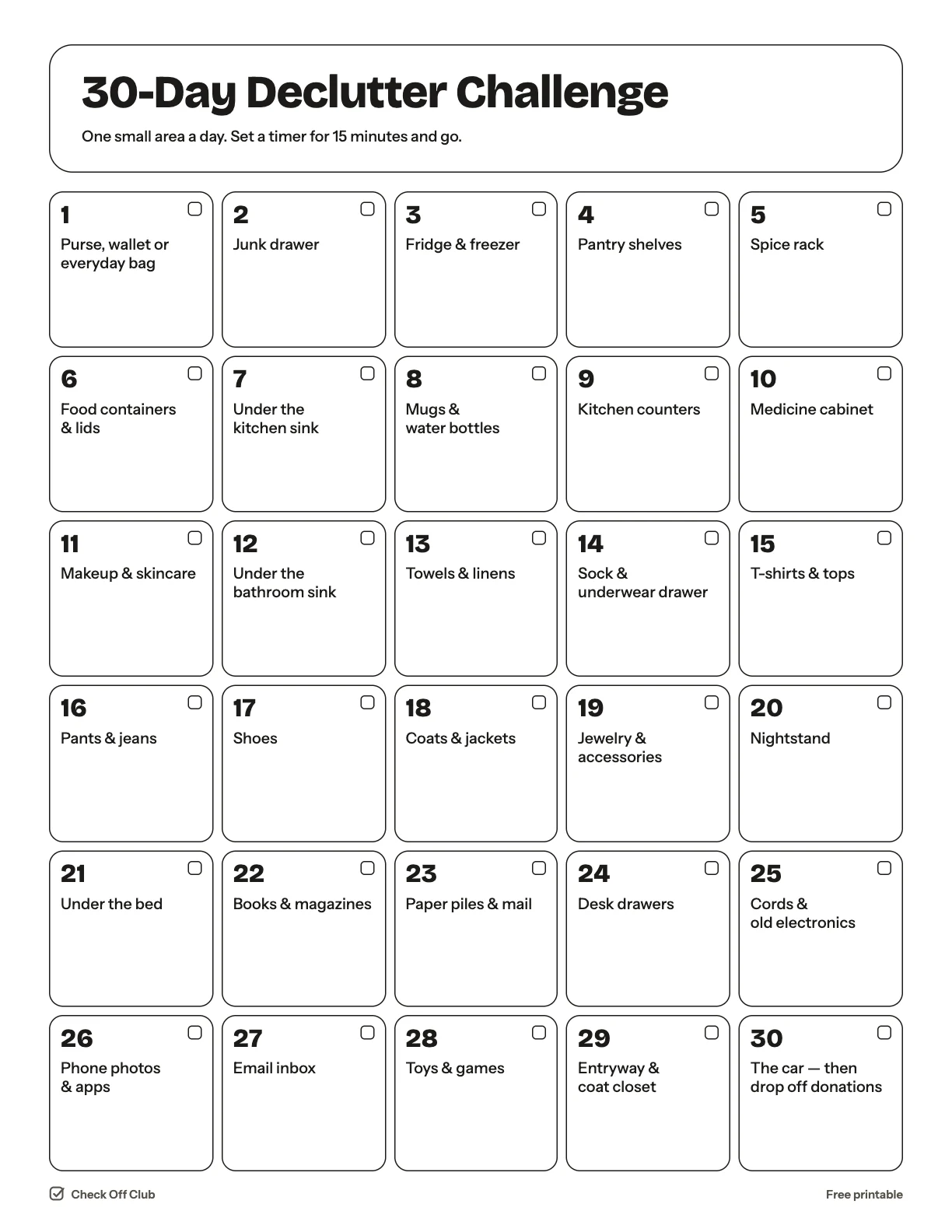
30-Day Declutter Challenge

Decluttering a whole home is overwhelming; decluttering a junk drawer is not. This challenge gives you one small area a day — 15 to 20 minutes each — and by the end of the month you have been through the whole house.

Paper
Edit it before printing — change any text, type on the lines, pick your own color
  • Free, no sign-up
  • 1 page
  • White paper by default, color optional
Save to Pinterest

How to use it

  1. Set a timer for 15 minutes. Stop when it rings, even if you are not finished.
  2. Keep three bags ready: donate, recycle, trash.
  3. Take the donation bag to the car as soon as it is full so nothing sneaks back in.
What is on the 30-day declutter challenge

  1. Purse, wallet or everyday bag
  2. Junk drawer
  3. Fridge & freezer
  4. Pantry shelves
  5. Spice rack
  6. Food containers & lids
  7. Under the kitchen sink
  8. Mugs & water bottles
  9. Kitchen counters
  10. Medicine cabinet
  11. Makeup & skincare
  12. Under the bathroom sink
  13. Towels & linens
  14. Sock & underwear drawer
  15. T-shirts & tops
  16. Pants & jeans
  17. Shoes
  18. Coats & jackets
  19. Jewelry & accessories
  20. Nightstand
  21. Under the bed
  22. Books & magazines
  23. Paper piles & mail
  24. Desk drawers
  25. Cords & old electronics
  26. Phone photos & apps
  27. Email inbox
  28. Toys & games
  29. Entryway & coat closet
  30. The car — then drop off donations

Questions

Is this printable really free?

Yes. The 30-Day Declutter Challenge is free to download and print for personal, family and classroom use. There is no sign-up and no email required.

Which size should I download — US Letter or A4?

Choose US Letter (8.5 × 11 in) if you are in the United States or Canada, and A4 (210 × 297 mm) almost everywhere else. Both files have the same content.

How do I print it?

Open the PDF and print at 100% or "actual size" on plain paper. The default version is white with thin outlines, so it uses very little ink. If you want color, switch Paper to Color before downloading, or pick any color in the editable version.

Can I edit it before printing?

Yes. Use "Edit it before printing" on this page to open the editable version. Click any text to change it, type on the blank lines, tick boxes, then print it or save it as a PDF. Your changes are kept in your browser only.

Can I use it on a tablet instead of printing?

Yes. Import the PDF into GoodNotes, Notability or any PDF annotation app and write on it with a stylus.