Check Off Club
New Year Bucket List — free printable PDF
Travel & Life Events

New Year Bucket List

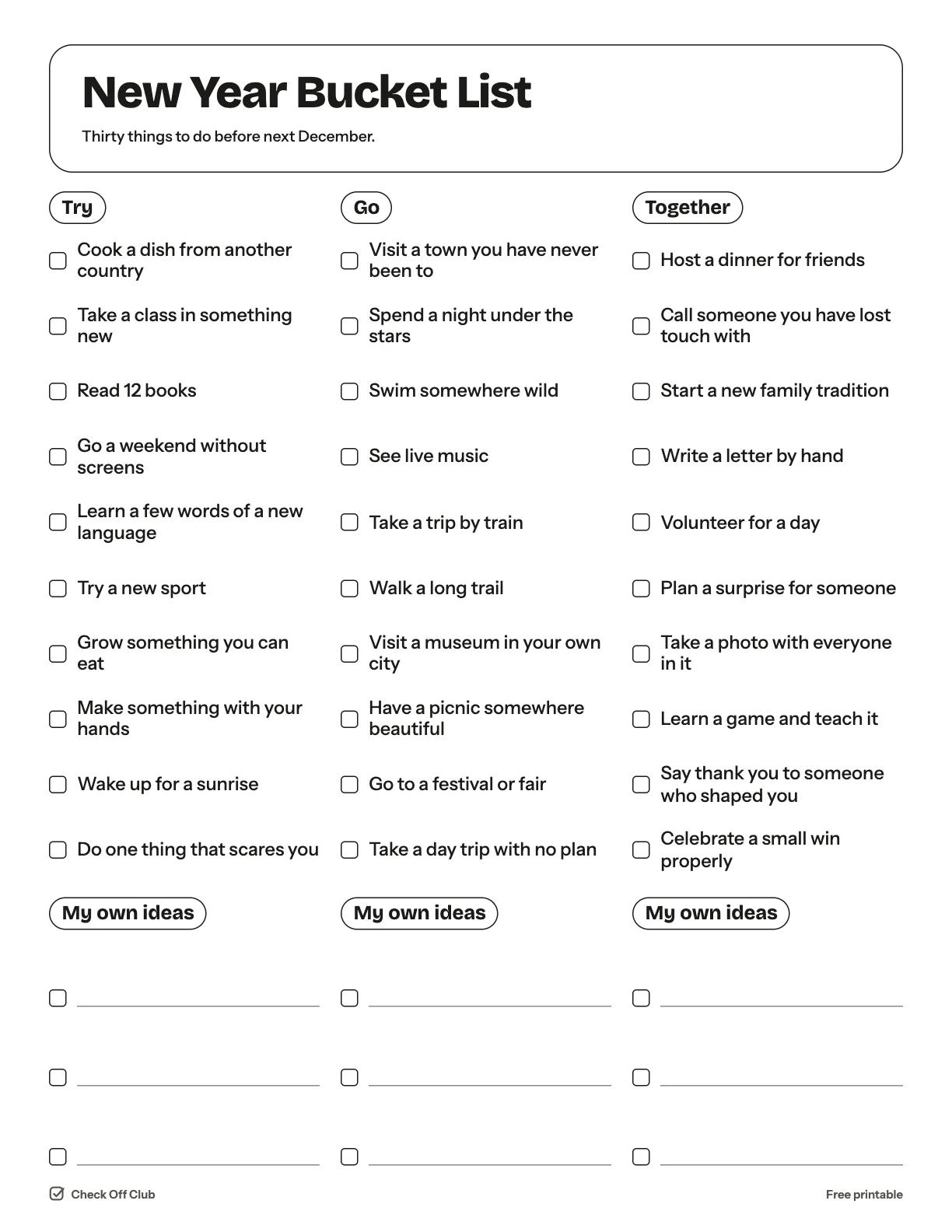
A bucket list is the fun half of New Year planning: not what you should do, but what you would love to have done by next December. Here are thirty ideas to start with and room to add your own.

Paper
Edit it before printing — change any text, type on the lines, pick your own color
  • Free, no sign-up
  • 1 page
  • White paper by default, color optional
Save to Pinterest

How to use it

  1. Cross out anything that does not excite you and replace it.
  2. Put a month next to the ones that need planning.
  3. Stick it on the fridge so the whole household can join in.
What is on the new year bucket list

Try

  • Cook a dish from another country
  • Take a class in something new
  • Read 12 books
  • Go a weekend without screens
  • Learn a few words of a new language
  • Try a new sport
  • Grow something you can eat
  • Make something with your hands
  • Wake up for a sunrise
  • Do one thing that scares you

Go

  • Visit a town you have never been to
  • Spend a night under the stars
  • Swim somewhere wild
  • See live music
  • Take a trip by train
  • Walk a long trail
  • Visit a museum in your own city
  • Have a picnic somewhere beautiful
  • Go to a festival or fair
  • Take a day trip with no plan

Together

  • Host a dinner for friends
  • Call someone you have lost touch with
  • Start a new family tradition
  • Write a letter by hand
  • Volunteer for a day
  • Plan a surprise for someone
  • Take a photo with everyone in it
  • Learn a game and teach it
  • Say thank you to someone who shaped you
  • Celebrate a small win properly

Questions

Is this printable really free?

Yes. The New Year Bucket List is free to download and print for personal, family and classroom use. There is no sign-up and no email required.

Which size should I download — US Letter or A4?

Choose US Letter (8.5 × 11 in) if you are in the United States or Canada, and A4 (210 × 297 mm) almost everywhere else. Both files have the same content.

How do I print it?

Open the PDF and print at 100% or "actual size" on plain paper. The default version is white with thin outlines, so it uses very little ink. If you want color, switch Paper to Color before downloading, or pick any color in the editable version.

Can I edit it before printing?

Yes. Use "Edit it before printing" on this page to open the editable version. Click any text to change it, type on the blank lines, tick boxes, then print it or save it as a PDF. Your changes are kept in your browser only.

Can I use it on a tablet instead of printing?

Yes. Import the PDF into GoodNotes, Notability or any PDF annotation app and write on it with a stylus.