Check Off Club
Night Routine Checklist — free printable PDF
Routines & Self-Care

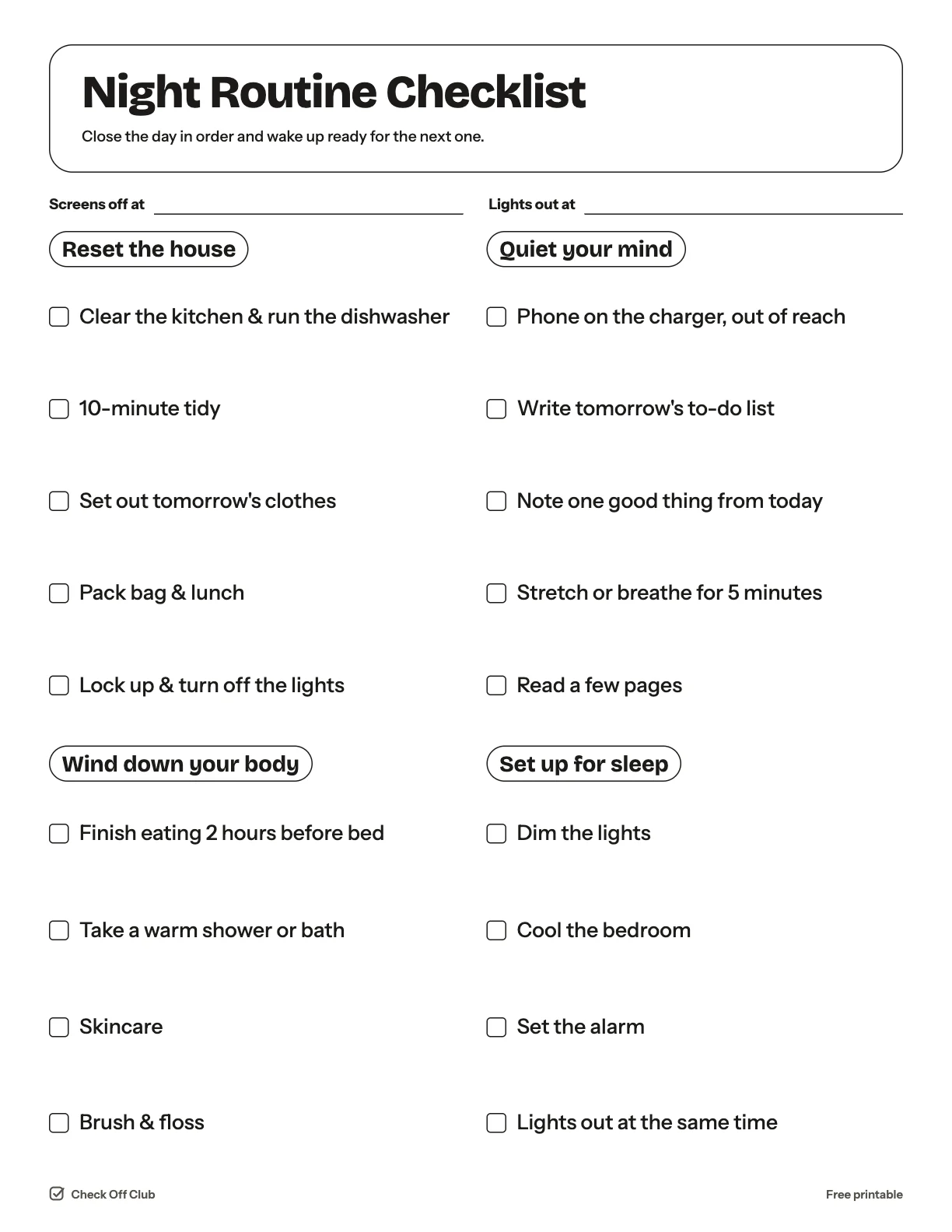
Night Routine Checklist

A good morning starts the night before. This evening checklist closes the day in order: reset the house, wind down your body, quiet your mind, set up the bedroom for sleep.

Paper
Edit it before printing — change any text, type on the lines, pick your own color
  • Free, no sign-up
  • 1 page
  • White paper by default, color optional
Save to Pinterest

How to use it

  1. Set an alarm for the start of your routine, not only for waking up.
  2. Choose your "screens off" time and write it at the top of the page.
  3. On tired nights do the short version: pack your bag, brush your teeth, lights out.
What is on the night routine checklist

Reset the house

  • Clear the kitchen & run the dishwasher
  • 10-minute tidy
  • Set out tomorrow's clothes
  • Pack bag & lunch
  • Lock up & turn off the lights

Wind down your body

  • Finish eating 2 hours before bed
  • Take a warm shower or bath
  • Skincare
  • Brush & floss

Quiet your mind

  • Phone on the charger, out of reach
  • Write tomorrow's to-do list
  • Note one good thing from today
  • Stretch or breathe for 5 minutes
  • Read a few pages

Set up for sleep

  • Dim the lights
  • Cool the bedroom
  • Set the alarm
  • Lights out at the same time

Questions

Is this printable really free?

Yes. The Night Routine Checklist is free to download and print for personal, family and classroom use. There is no sign-up and no email required.

Which size should I download — US Letter or A4?

Choose US Letter (8.5 × 11 in) if you are in the United States or Canada, and A4 (210 × 297 mm) almost everywhere else. Both files have the same content.

How do I print it?

Open the PDF and print at 100% or "actual size" on plain paper. The default version is white with thin outlines, so it uses very little ink. If you want color, switch Paper to Color before downloading, or pick any color in the editable version.

Can I edit it before printing?

Yes. Use "Edit it before printing" on this page to open the editable version. Click any text to change it, type on the blank lines, tick boxes, then print it or save it as a PDF. Your changes are kept in your browser only.

Can I use it on a tablet instead of printing?

Yes. Import the PDF into GoodNotes, Notability or any PDF annotation app and write on it with a stylus.