Check Off Club
Bucket List for Teens — free printable PDF
Travel & Life Events

Bucket List for Teens

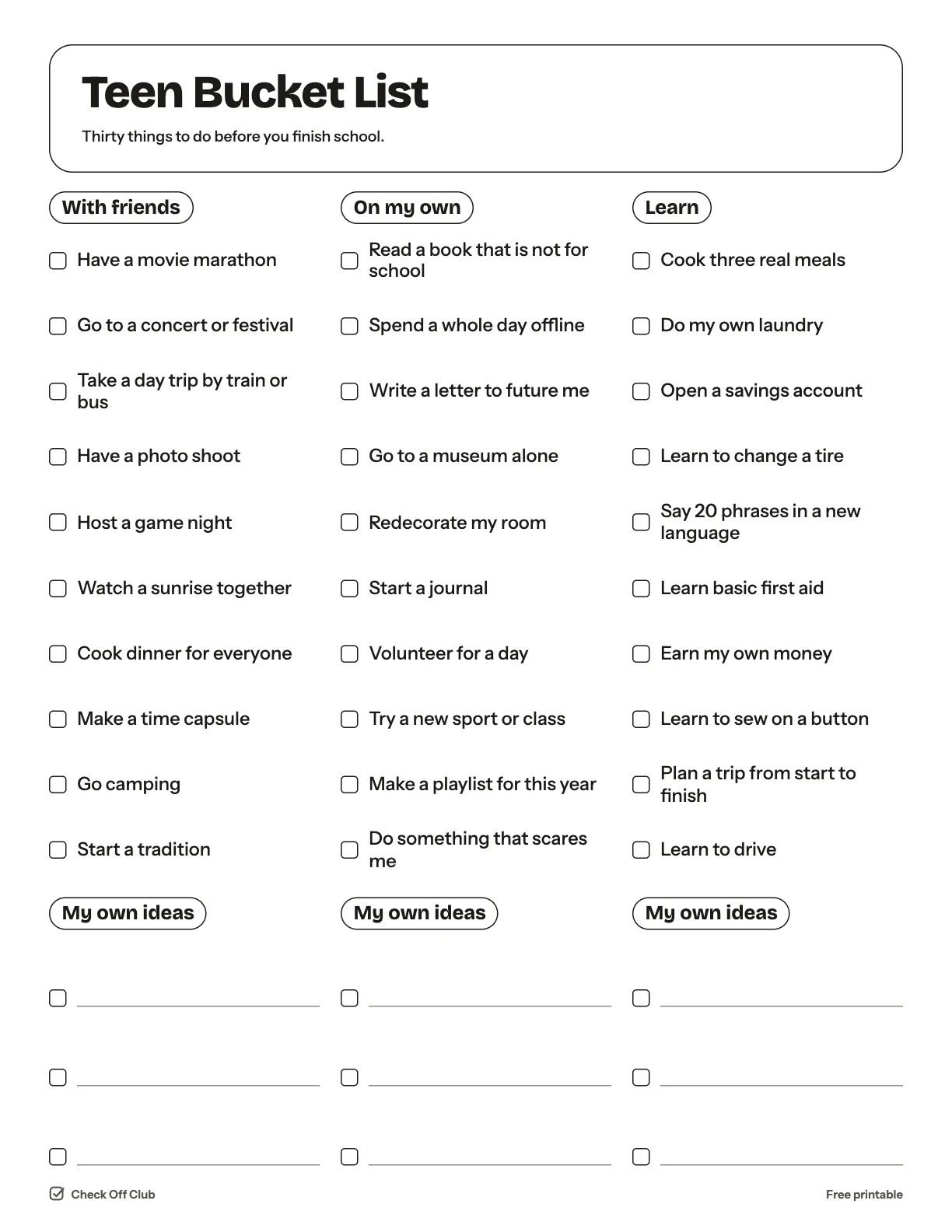
Thirty things worth doing before you finish school, split into things to do with friends, things to do on your own and skills to pick up. None of them cost much, and there is room to add your own.

Paper
Edit it before printing — change any text, type on the lines, pick your own color
  • Free, no sign-up
  • 1 page
  • White paper by default, color optional
Save to Pinterest

How to use it

  1. Tick things off in any order.
  2. Do it with a friend and compare lists at the end of the year.
  3. Swap out anything that is not you and write your own idea in its place.
What is on the teen bucket list

With friends

  • Have a movie marathon
  • Go to a concert or festival
  • Take a day trip by train or bus
  • Have a photo shoot
  • Host a game night
  • Watch a sunrise together
  • Cook dinner for everyone
  • Make a time capsule
  • Go camping
  • Start a tradition

On my own

  • Read a book that is not for school
  • Spend a whole day offline
  • Write a letter to future me
  • Go to a museum alone
  • Redecorate my room
  • Start a journal
  • Volunteer for a day
  • Try a new sport or class
  • Make a playlist for this year
  • Do something that scares me

Learn

  • Cook three real meals
  • Do my own laundry
  • Open a savings account
  • Learn to change a tire
  • Say 20 phrases in a new language
  • Learn basic first aid
  • Earn my own money
  • Learn to sew on a button
  • Plan a trip from start to finish
  • Learn to drive

Questions

Is this printable really free?

Yes. The Bucket List for Teens is free to download and print for personal, family and classroom use. There is no sign-up and no email required.

Which size should I download — US Letter or A4?

Choose US Letter (8.5 × 11 in) if you are in the United States or Canada, and A4 (210 × 297 mm) almost everywhere else. Both files have the same content.

How do I print it?

Open the PDF and print at 100% or "actual size" on plain paper. The default version is white with thin outlines, so it uses very little ink. If you want color, switch Paper to Color before downloading, or pick any color in the editable version.

Can I edit it before printing?

Yes. Use "Edit it before printing" on this page to open the editable version. Click any text to change it, type on the blank lines, tick boxes, then print it or save it as a PDF. Your changes are kept in your browser only.

Can I use it on a tablet instead of printing?

Yes. Import the PDF into GoodNotes, Notability or any PDF annotation app and write on it with a stylus.